
How do I install World of Warcraft?
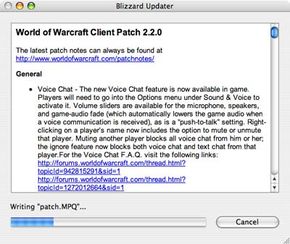
The copy of "World of Warcraft" you buy at the store is the game client. "The Burning Crusade" and "Wrath of the Lich King" are basically upgrades to the "World of Warcraft" client -- it adds new maps and information to the game files. The installation process for either game is pretty self-explanatory -- you insert the first disc, start the installer and wait for it to prompt you for the next disk. The first time you open the game, it will download the necessary patches to make your game client match the one the rest of the players are using. Blizzard, the company that produces "World of Warcraft," releases patches periodically to fix game issues, tweak game play and add new content. Your computer will automatically download each patch as it becomes available.
To play the game, you need an Internet connection and an account that lets you log in to "World of Warcraft" servers. The game will prompt you to start an account, and it will also ask you for a payment method. Blizzard accepts credit cards and PayPal, or you can buy a pre-paid game card.
Advertisement
Once you install and patch your game, you get to start making choices about how you want to play. Your first choice is which realm, or world server, you'll play on. There are three basic server types:
- Normal, also known as player versus environment (PvE): You'll do most of your fighting against computer-controlled enemies. You'll only fight other players if you choose to put yourself in player-versus-player (PvP) mode, also known as flagging yourself, or by deliberately entering a PvP environment like a battleground.
- Player versus player (PvP): You'll be flagged any time you enter a contested part of the world. Virtually everything outside of the game's lowest-level zones is contested -- you can see a complete list at Blizzard's region levels page. You'll be open to attack and able to attack other players most of the time once you leave your starting zone.
- Role playing (RP): On an RP server, people speak and behave as their characters would. There are also role-playing PvP realms.
Your game client will suggest a realm for you, but you can choose a different one if you like. Keep in mind that on a realm with a very high population -- or a high-pop server -- you may have to wait to log on during peak playing hours.
Once you pick a realm, you can make a character. We'll look at the character creation process on the next page.