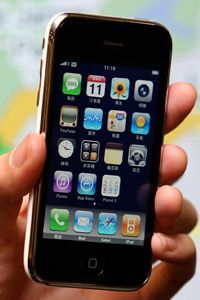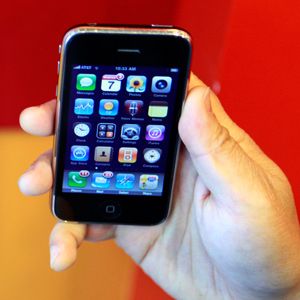
In January 2007, Steve Jobs introduced the Apple iPhone during his keynote address at the Macworld Conference and Expo. In its first appearance onscreen and in Jobs's hand, the phone looked like a sleek but inanimate black rectangle.
Then, Jobs touched the screen. Suddenly, the featureless rectangle became an interactive surface. Jobs placed a fingertip on an on-screen arrow and slid it from left to right. When his finger moved, the arrow moved with it, unlocking the phone. To some people, this interaction between a human finger and an on-screen image -- and its effect on the iPhone's behavior -- was more amazing than all of its other features combined.
Advertisement
And those features are plentiful. In some ways, the iPhone is more like a palmtop computer than a cellular phone. As with many smartphones, you can use it to make and receive calls, watch movies, listen to music, browse the Web, and send and receive e-mail and text messages. You can also take pictures and video (using an iPhone 3GS or later model) with a built-in camera, import photos from your computer and organize them all using the iPhone's software.
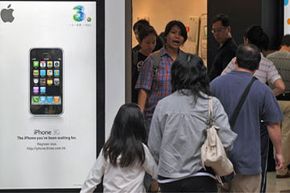
In 2008, Apple introduced the second generation iPhone. This iPhone operates on third-generation (3G) cellular networks and has a GPS receiver. It also lets you view map and satellite data from Google Maps, including overlays of nearby businesses. Owners of the original iPhone got the opportunity to upgrade the software on their phones. The 2.0 software gave the old phones new functions, but without the GPS receiver or 3G network capability.
2009 was the year that Apple launched the iPhone 3GS. The 3GS iPhone models have more storage capacity than earlier iPhones. They also have a better camera that's capable of taking still shots and video at 30 frames per second. Another added feature is a compass, which comes in handy when you need to find your way through unfamiliar territory. Also in 2009 came iPhone OS 3.0, which offered many improvements, such as the ability to cut and paste.
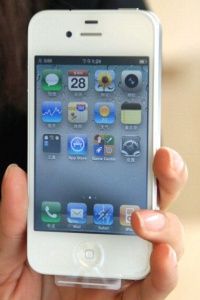
In 2010, Steve Jobs took the stage to announce a new generation of Apple's runaway success: the iPhone 4. The iPhone 4 sports two cameras -- one on the front and one on the back. The iPhone 4 has a retina display with a better resolution than earlier phones. It also marked a departure from the basic iPhone design -- the phone doesn't have a slightly curved back so it lays flat on surfaces. Jobs also announced a new name for the iPhone operating system: iOS, a modified version of the Macintosh OS X operating system used on Apple desktop and laptop computers.
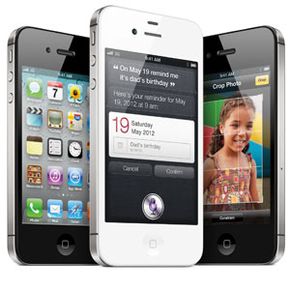
In June 2011, Apple announced iOS 5 for iPhone 3GS and later, which includes data syncing to the iCloud service, as well as iMessage, Twitter integration and a convenient new sliding notification screen. In October 2011, Apple unveiled the iPhone 4S, with the faster A5 processor and a much improved camera that shoots 8 megapixel images and 1080p high-definition video. The 4S was also the first phone that could take advantage of a major addition to Apple's iOS, which debuted with iOS 5: the Siri voice-activated personal assistant.
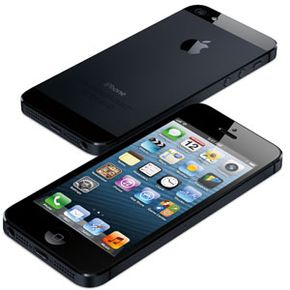
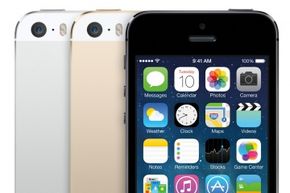
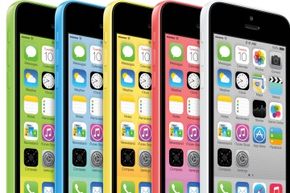
The iPhone 5 made its debut in the third quarter of 2013, and offered consumers two product lines to choose from. The iPhone 5s includes an A7 64-bit chip, and added a security enhancement in the form of a fingerprint identity sensor (though just how secure this feature is has been hotly debated). The iPhone 5c provides a lower price point option, and comes in plastic casings with a variety of color options.
Apple's iOS lets you interact with all of the applications on your iPhone. It displays icons for each application on the iPhone's screen. It also manages battery power and system security. The operating system synchs the phone with your computer on older iPhones and iOS versions, a process that requires a connector much like the one used to synch an iPod, but since iOS 5, most synching of data across Apple devices can take place via the new iCloud service. The OS also lets you multitask and move through multiple open applications, just like you can on a laptop or desktop computer.
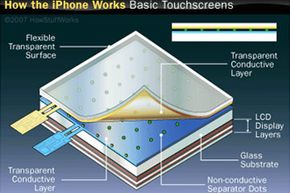
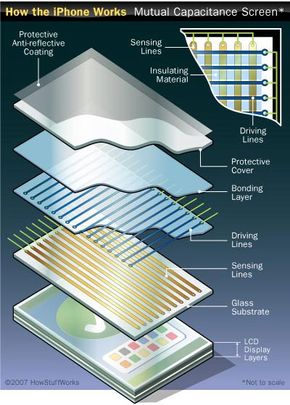
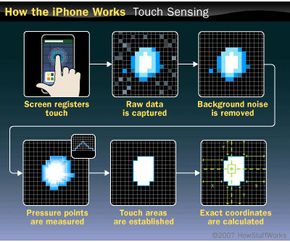
But instead of using a mouse or a physical keyboard, the iPhone uses virtual buttons and controls that appear on its screen. This isn't really a new phenomenon -- touch screens have been part of everything from self-checkout kiosks to smartphones for years. But the iPhone's touch screen is a little different from many of the others currently on the market. When you touch the screen on a PDA or a Nintendo DS, you typically use a slender, pointed stylus. The iPhone, on the other hand, requires you to use your fingers or a conductive stylus. It can also detect multiple touch points simultaneously.
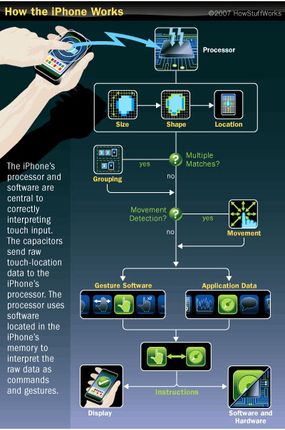
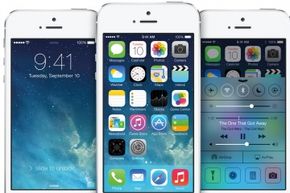
This article will explore exactly how the iPhone's touch screen carries instructions from your fingertips to the phone's internal circuitry. We'll also look at the features in Apple's latest and greatest, the iPhone 5c and 5s, and the 2013 update to its operating system: iOS 7.
Advertisement