Free stuff is good, and free stuff that you'd ordinarily have to pay for is even better. That's one of the reasons people have tried using Voice over Internet Protocol (VoIP) to make phone calls. With VoIP, you can make calls, even long-distance and international ones, for free. But until recently, VoIP had one pretty big limitation -- to make a call, you had to be at a computer.
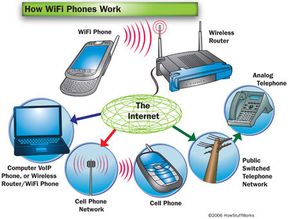
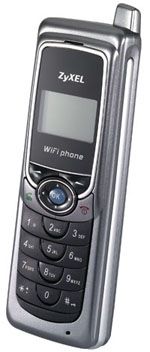
New phones make it possible for people to place VoIP calls without being leashed to a computer. WiFi phones use the same wireless network technology that computers use, making VoIP a lot more portable.
Advertisement
This article will explore WiFi phones and their abilities, as well as the pros and cons of using them. We'll start with a quick review of VoIP and WiFi.
Understanding VoIP is easier if you have a basic understanding of how old-fashioned telephones work. Most people have used an ordinary "land line" phone so often that the process seems instinctive. You just pick up the phone, hear a dial tone, dial, talk and hang up.
But several things happen between you dialing the phone and the other person answering. To get from person to person, the call travels through the wires that make up the public switched telephone network (PSTN). Your local phone carrier routes your call through a series of physical switches that eventually connect your phone to the other person's. This is called circuit switching.
This isn't a particularly efficient way of making phone calls. The entire circuit between the two phones stays open during the conversation, even though only one person is talking at a time. It's also open when neither person is talking. (See How Telephones Work for more details on circuit switching).
Wi-fi phones are part of the smartphone phenomenon. Click here to read more about smartphones.
VoIP, on the other hand, uses packet switching. We'll look at packet switching and VoIP in more detail next.
Advertisement