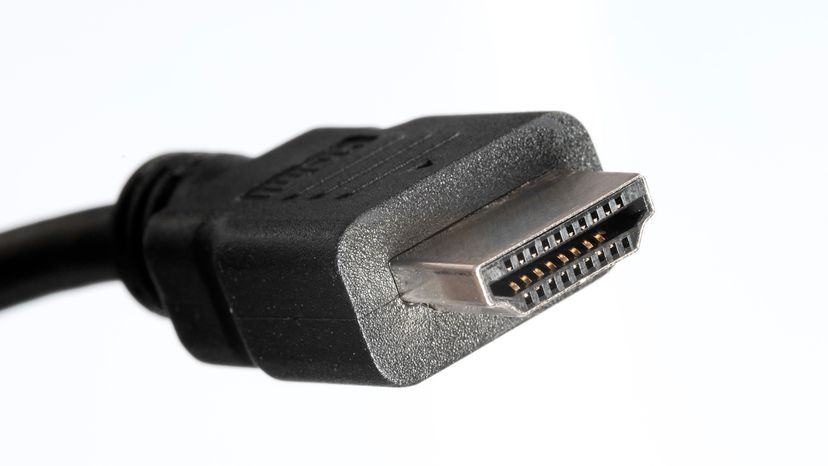
At its core, HDMI is a proprietary audio and video interface for transmitting uncompressed video and audio streams between compatible devices. It serves as a digital replacement for earlier analog standards, such as video graphic array (VGA) and component video.
Manufacturers debuted the first HDMI version (HDMI 1.0) in 2002. Since then, there have been nearly a dozen revisions, including the following key updates:
- HDMI 1.1 (2004)
- HDMI 1.2 (2005)
- HDMI 1.3 (2006)
- HDMI 1.4 (2009)
- HDMI 2.0 (also known as HDMI UHD) (2013)
- HDMI 2.1 (2017)
The HDMI interface consolidates video transmission, audio output and other data into a single cable. This not only simplifies things but also makes transmitting high-quality audio possible, making for a higher-quality viewing and listening experience overall.
A group of electronics manufacturers created the HDMI standard as a set of guidelines for creating high-bandwidth connections between digital devices. With the right setup, HDMI can make a significant difference in a home-theater system.
HDMI and 8K
The current standard (HDMI 2.1) can transmit up to 48 gigabytes per second and easily supports 8K (7,680 x 4,320 pixels) or 4K (3,840 x 2,160 pixels) resolutions with much higher refresh rates than the original HD (1,920 x 1,080 pixels).
For example, you can watch at 8K resolution at a refresh rate of 60Hz, or you can watch at 4K resolution with a refresh rate of 120Hz for your perfect balance of crystal-clear video and super-smooth action.
HDMI can cut down on the number of cables required to connect components, and it can even reduce the number of remote controls you need to watch a movie.