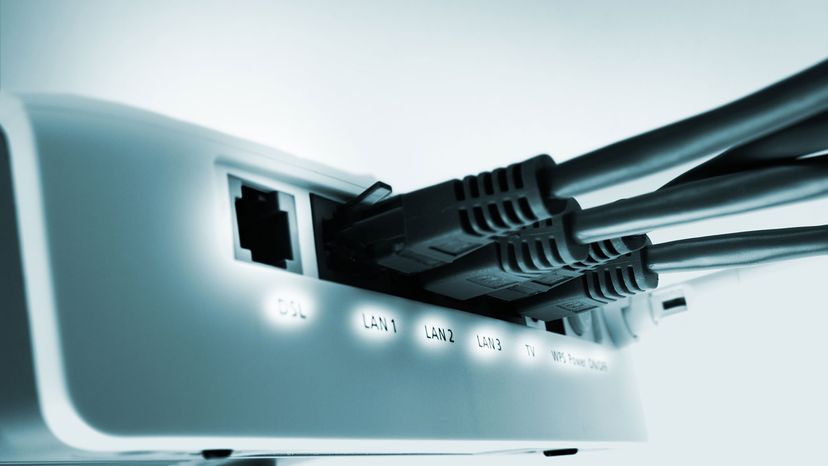
Since you can't see who's got a computer hooked up to your wireless router, is there any way to know for sure if someone else has hijacked your signal? xijian/Getty Images
Everywhere you go these days, data is whizzing through the airwaves.
While we use 4G and 5G data on our smartphones as we're driving or walking, WiFi still dominates in the home. And in coffee shops. And libraries. And airports. Thanks to the ubiquity of wireless routers and hotspots, just about any plain old wired internet connection — faster and cheaper and without the limiting bandwidth caps of cellular data — can be turned into a convenient WiFi zone.
Advertisement
Whether we install them ourselves or get them from our internet providers, most of us have WiFi routers in our homes. That can cause a couple of problems: One, wireless signals are operating on the same frequency and they can cause interference, especially if you're living in an apartment building. Two, without the proper security, someone could easily hop onto your wireless network.
Chances are you're reading this article because you suspect someone is piggybacking or using your WiFi without your permission. When wireless squatters steal your WiFi, they eat up your bandwidth. In extreme cases, they may even steal information off your computer or infect machines on your network with a virus. But fear not: It's easy to fight back. Let's start with a basic overview of managing a wireless network, which is the first step toward keeping your WiFi setup secure.
Before you can detect if someone is ripping off your wireless internet connection, it's important to understand some basic computer networking lingo. For more information on how to set up a wireless network, take a look at How WiFi Works. Now, let's look at a few of the areas in a wireless network that will give you a baseline for determining if your WiFi signal is being sapped unexpectedly.
A wireless network is comprised of a broadband internet connection from a DSL, cable or satellite modem. You attach the modem to the wireless router, which distributes the signal and creates a network.
Advertisement
This is what's called a local area network (LAN). This LAN is where you set up computer peripherals such as your desktop or laptop computer and printer. Your router will have what's called a dynamic host client protocol (DHCP) table. In essence, your DHCP table is your guest list of every allowed piece of computing equipment.
Each device has its own media access control (MAC) address. Think of this as its signature. Your router uses these addresses to assign each machine on your network an internet protocol (IP) address. The MAC and IP addresses of your equipment will be useful in a moment when we look at ways to detect whether or not someone is stealing your WiFi. For a more in-depth understanding of IP addresses, read What Is an IP address?
There are also a couple of important terms related to WiFi that you should know. A service set identifier (SSID) is the name that identifies a wireless network. By default, this will probably be the name of your router — Netgear, Arris or ASUS or something similar — but you can have fun by changing it to something more personal or creative, like My WiFi Only, or anything you like.
There are a number of WiFi varieties out in the wild, including 802.11n, which is capable of up to 600 megabit per second data transfers. 802.11ac is another standard, which allows for wireless speeds of over one gigabit per second. The latest and greatest in WiFi is 802.11ax, which can work at speeds of up to 3.5 gigabits per second [source: Weinberg].
Note that in an effort to simplify all the gobbledygook jammed into WiFi names, the Wi-Fi Alliance updated its taxonomy in 2018. Now, 802.11ac is called Wi-Fi 5, 802.11n is Wi-Fi 4, and 802.11ax is Wi-Fi 6. The older versions, like 802.11b, remain as-is [source: Shaw].
If you're confused by some of this computer mumbo jumbo, don't be. What's important is that you know what to look for when we get ready to diagnose your WiFi connection.
Is Stealing WiFi a Felony?
There isn't a federal law against stealing someone's WiFi. The 1986 Computer Fraud and Abuse Act penalizes anyone who "intentionally accesses a computer without authorization or exceeds authorized access" but it was passed before WiFi was common. Some states have laws against stealing WiFi [source: Nolo]. In 2007, a court in Michigan let a man off on felony charges for stealing a WiFi signal from a coffee shop while parked in his car. The man had been checking his email and browsing the internet and said exactly that to a curious police officer. It was eventually determined the man had no idea what he was doing was illegal, let alone a felony. Nevertheless, he was fined $400 and 40 hours of community service [source: Shaw].
Advertisement
Setting Up a Secure Network
OK, it's time to get down to it. Is your wireless network running slowly? Do you have intermittent losses in internet access and you can't figure out why? First, take a breath. In all likelihood, no one is stealing your internet. Tons of things could cause a slow connection. Your internet service provider might be having issues or is overloaded with traffic. Your WiFi router might be experiencing interference from other electronics, or simply be having trouble penetrating the walls and furniture of your home to get a wireless signal to your computer.
There's only one thing you need to prevent 99.9 percent of wireless squatters from using your internet connection: a password.
Advertisement
The most basic element of wireless security is an encryption protocol such as WPA2, or WiFi Protected Access. Older standards like WEP and the first generation of WPA have been phased out for the more secure WPA2, which is itself now slowly being replaced by WPA3.
WPA3 is the third and most recent iteration of WPA security, introduced to the marketplace in July 2020. Because this standard requires certain hardware specifications, many millions of older WiFi devices yet aren't able to use it. Expect WPA3 to become much more common in the next couple of years as WPA2 is gradually made obsolete [source: Froehlich].
You don't need to know anything about how the encryption works — you just need to set up WPA2 (or if you're an early adopter, WPA3) security on your wireless router and set a password for the network. Make it something you can remember that's not easy for others to guess (please don't use "password" or "12345!") and you'll be well on your way to security [source: WiFi Alliance].
So how do you configure your password? Well, that varies by the type of router you have, but most WiFi routers are accessible from a connected device via the address http://192.168.1.1 in a web browser. (Note, if you have a device that is a combo of modem and router, these instructions will work too.) Logging in is usually easy, too, as most router manufacturers use a simple pair of words like "admin" and "root" for the device's username and password (you should be able to find this information in the manual). That will take you to a management tool where you can change all kinds of settings, including your wireless security.
That tip might set off a little security alert in the back of your head. "Wait, a minute," you think. "If most routers use the same local address and username/password, couldn't anyone get in there and mess with my security settings?" Well ... yes! Without a password, your wireless network is open for anyone to hop on. But a password isn't quite all you need to be totally secure. You should also change the router's login information to something aside from the usual "admin." That will keep virtually everyone from messing with your router — but let's take a look at how to detect a WiFi leech, just in case.
Advertisement
Detecting Wireless Piggybacking
The router distributes the internet signal and creates a network. Log in to the router from your computer to create a password and make it secure. deepblue4you/Getty Images
With WPA2 security enabled, it's unlikely anyone will ever piggyback on your network. But there's an easy way to spot squatters: Since every device connected to your network has a unique IP address and MAC address, you can easily see a list of connected devices — often listed as "clients" — on one of the settings pages for your wireless router. Many devices broadcast an ID because they've been named by their owners, so if you see "John's Laptop" connected to your network and you don't have a John in the house, you've found trouble! Even if a device doesn't show a name in the router's client list, you can count the number of devices connected and compare to the number of devices you know should be there to see if the numbers are off.
Want to make absolutely sure no one's going to figure out your password and worm their way onto your network? You have a few options. Your router can hide its SSID, meaning it won't show up for anyone searching for connectable networks. The address will have to be entered manually.
Advertisement
You can also set up a wireless MAC filter to "whitelist" devices you own, disabling access for anyone else. Of course, this makes it a bit tougher for welcome guests, such as friends, to get online at your house.
But that still leaves the burning question – what do you do if you think someone is routinely using your WiFi without your permission?
If you suspect someone's stealing your WiFi, you have a number of detective tools at your disposal. For starters, you could simply shut off all of your WiFi devices, like your phone and your laptop – and then watch for blinking lights on the front of your router. If the router seems to be showing data transfer even with your family's devices powered down, you may have a piggybacker nearby.
Internet monitoring software is another option. A program such as Wireless Network Watcher lets both Windows and MacOS users keep tabs on all connected devices and potential suspicious activity. When you launch the program, you'll see your computer nicknames, as well as manufacturer brands of the devices that are connected. If you're still confused (perhaps because you have so many devices), you can turn off each one and watch as it disappears from the list. If you power down all of your WiFi gadgets and still see active devices, you're a step closer to identifying a potential problem.
If you can't identify a device on your network, simply change the password. You'll have to reauthorize all of your WiFi devices with the new password, of course, but this is quickest and easiest way to resecure your network and get peace of mind [source: Gordon].
As long as your network has a strong and unique password, only a hacker using specialized software is going to get past your security. A simple Google search will reveal just how many password hacking resources are available to criminals.
For example, technology site Ars Technica has detailed how a $2,500 program called Silica can be used in conjunction with websites containing dictionaries of millions of words to connect to a secured network and crack its password.
Hashcat is another popular password hacking tool. Like Silica, it's paired with databases of millions of the most popular password combinations until it figures out the correct password. It works – and it's extremely easy to do, even for novice hackers [source: Porup].
But there's still an effective and efficient way to stop most hackers in their tracks: Use a secure password. The longer and harder to guess, the safer your network will be. With a strong password, you shouldn't ever have to worry about keeping tabs on who connects to your network. Piggybackers will have to find someone else to mooch off of.
Advertisement
Stealing Wifi FAQ
How can you tell if someone is stealing your WiFi?
To determine if anyone is stealing your WiFi, check your settings pages for your wireless router. Every device connected to your network has a unique IP address and MAC address, so you can see a list of connected devices. Many devices broadcast an ID because they've been named by their owners (i.e., "John's Laptop") so if you see one connected that you don't recognize, someone is stealing your WiFi. Alternatively, count the number of devices connected and compare that to the number of devices you know there should be to see if they match up.
Is it illegal to piggyback WiFi?
"Piggybacking," or using another person's unsecured WiFi without their consent, is indeed a felony crime in many states.
Are you liable if someone does something illegal on your WiFi?
It's unlikely that the person who did not actually engage in the online activity will be held liable if someone else used their WiFi for something illegal. However, if you discover that someone has used your WiFi for illicit activities — whether you gave them your WiFi password without knowing what they'd do or they hacked in — it may be prudent to report it to authorities if you have legitimate concerns.
What happens if you get caught stealing WiFi?
It depends on whether you accessed a secured or unsecured connection. Though many states have laws prohibiting stealing WiFi, enforcement is lacking in cases where the connection wasn't password protected. However, if you hack into someone's secured WiFi connection and are caught, you could face fines and jail time under the federal Computer Fraud and Abuse Act.
Can my neighbor's WiFi affect mine?
In a regular neighborhood, it's unlikely. However, when wireless signals are operating on the same frequency, they can cause interference, in densely populated areas like a row of townhouses or an apartment or condo building.
Lots More Information
Author's Note: How to Detect if Someone's Stealing Your WiFi
Smartphones changed everything, didn't they? A few short years ago, we hoarded WiFi like a precious commodity. Your neighbors might steal it! Criminals might park outside your house and download illegal files on your network! Sounds horrifying, doesn't it? Well, once we got smartphones with omnipresent data connections, we calmed down a bit. WiFi is now so ubiquitous that you don't have to worry too much about your neighbors leeching off of you — they've probably got WiFi, too. We don't need to find hotspots when we've got 4G on our phones. Still it happens. This article remains very popular.
Froehlich, Andrew. "Can WPA2 be upgraded to WPA3?" TechTarget. March 2020. (Apr. 8, 2021)
Froehlich, Andrew. "Can WPA2 be upgraded to WPA3?" TechTarget. March 2020. (Apr. 8, 2021)
https://searchnetworking.techtarget.com/answer/Can-WPA2-be-upgraded-to-WPA3
Gordon, Whitson. "How to See Who's On Your Wi-Fi." PC Mag. April 6, 2020. (Apr. 8, 2021)
Gordon, Whitson. "How to See Who's On Your Wi-Fi." PC Mag. April 6, 2020. (Apr. 8, 2021)
https://www.pcmag.com/how-to/how-to-see-whos-on-your-wi-fi
Marriott, Michael. "Hey Neighbor, Stop Piggybacking on My Wireless." New York Times. March 5, 2006. (Apr. 8, 2021)
Marriott, Michael. "Hey Neighbor, Stop Piggybacking on My Wireless." New York Times. March 5, 2006. (Apr. 8, 2021)
https://www.nytimes.com/2006/03/05/us/technology/hey-neighbor-stop-piggybacking-on-my-wireless.html
Weinberg, Neal. "What is 802.11ax (Wi-Fi 6), and what will it mean for 802.11ac." Network World. Feb. 27, 2018. (Apr. 8, 2021)
Weinberg, Neal. "What is 802.11ax (Wi-Fi 6), and what will it mean for 802.11ac." Network World. Feb. 27, 2018. (Apr. 8, 2021)
https://www.networkworld.com/article/3258807/what-is-80211ax-wi-fi-6-and-what-will-it-mean-for-80211ac.html#:~:text=802.11ax%20can%20deliver%20a,bandwidth%20of%20an%20astounding%2014Gbps