
Storing Digital Photos
Most digital cameras have an LCD screen, so you can view your picture right away. This is one of the great advantages of a digital camera -- you get immediate feedback on what you capture. Of course, viewing the image on your camera would lose its charm if that's all you could do. You want to be able to load the picture into your computer or send it directly to a printer. There are several ways to do this.
Early generations of digital cameras had fixed storage inside the camera. You needed to connect the camera directly to a computer with cables to transfer the images. Although most of today's cameras are capable of connecting through serial, parallel, SCSI, USB or FireWire connections, they usually also use some sort of removable storage device.
Advertisement
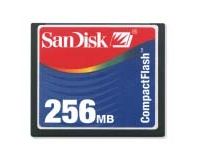
Digital cameras use a number of storage systems. These are like reusable, digital film, and they use a caddy or card reader to transfer the data to a computer. Many involve fixed or removable flash memory. Digital camera manufacturers often develop their own proprietary flash memory devices, including SmartMedia cards, CompactFlash cards and Memory Sticks. Some other removable storage devices include:
- Floppy disks
- Hard disks, or microdrives
- Writeable CDs and DVDs
No matter what type of storage they use, all digital cameras need lots of room for pictures. They usually store images in one of two formats -- TIFF, which is uncompressed, and JPEG, which is compressed, but some use RAW format. Most cameras use the JPEG file format for storing pictures, and they sometimes offer quality settings (such as medium or high). The following information will give you an idea of the file sizes you might expect with different picture sizes.
640x480
- TIFF (uncompressed) 1.0 MB
- JPEG (high quality) 300 KB
- JPEG (medium quality) 90 KB
800x600
- TIFF (uncompressed) 1.5 MB
- JPEG (high quality) 500 KB
- JPEG (medium quality) 130 KB
1024x768
- TIFF (uncompressed) 2.5 MB
- JPEG (high quality) 800 KB
- JPEG (medium quality) 200 KB
1600x1200
- TIFF (uncompressed) 6.0 MB
- JPEG (high quality) 1.7 MB
- JPEG (medium quality) 420 KB
To make the most of their storage space, almost all digital cameras use some sort of data compression to make the files smaller. Two features of digital images make compression possible. One is repetition. The other is irrelevancy.
Imagine that throughout a given photo, certain patterns develop in the colors. For example, if a blue sky takes up 30 percent of the photograph, you can be certain that some shades of blue are going to be repeated over and over again. When compression routines take advantage of patterns that repeat, there is no loss of information and the image can be reconstructed exactly as it was recorded. Unfortunately, this doesn't reduce files any more than 50 percent, and sometimes it doesn't even come close to that level.
Irrelevancy is a trickier issue. A digital camera records more information than the human eye can easily detect. Some compression routines take advantage of this fact to throw away some of the more meaningless data.
Next, we'll tie it all together and see how a digital camera takes a picture.