
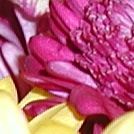
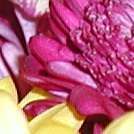
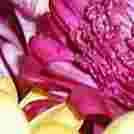
In general, if you are e-mailing the pictures to friends who will view them on a computer screen, you will want to send them pictures in the jpeg format at 640 x 480 pixels. If you are printing the pictures, you need about 150 pixels per inch of print size. So you would not want to print your 640 x 480 images at a size bigger than 4 x 3 inches.
Cameras can be quite complicated and use unintuitive jargon. Your camera probably has several different picture quality and picture size settings. For example, we'll go through all of the quality settings of one of the cameras we use at How Stuff Works. We took the same picture in all of the different modes and here are the results.
Advertisement
- TIFF - No Compression - 2048 x 1536 pixels - 9,231 kB
- SHQ - 97% Compression - 2048 x 1536 pixels - 1,391 kB
- HQ - 91% Compression - 2048 x 1536 pixels - 682 kB
- SQ1 - 87% Compression - 1280 x 960 pixels - 249 kB
- SQ2 - 73% Compression - 640 x 480 pixels - 62 kB
Most cameras store the images in jpeg format. This is a compressed format that reduces the file size of the images. Some cameras also have an option to store the pictures in an uncompressed format (like TIFF). Generally you will want to use the jpeg format because the uncompressed pictures will quickly eat up the storage space on your camera. There are different levels of compression for the jpeg format. Some cameras will have good, better, best setting. These settings can be equated to a quality level parameter of jpeg compression. If the quality level gets down into the 60 percent range, you might start to notice little squiggles and extra graininess. The graphic below shows the relative picture quality and file sizes for different jpeg quality levels.
The picture size is usually adjustable too. See the next page to learn more.
Advertisement