Every parent has heard the statistics. Children who play musical instruments do better in school. They get into better colleges and get better jobs. They learn self-discipline, gain self-confidence and are encouraged to express their creativity. So we all do what we think is best for our children's future. When the kids hit seven or eight years old, we drag them to piano lessons.
You remember piano lessons, don't you? The scales, the boring songs, the piano teacher's living room that smelled like mothballs and dusty sheet music. It's no wonder that you quit after two years. And it will be no surprise if your child does the same, unless he or she is truly inspired and excited by the act of making music.
Advertisement
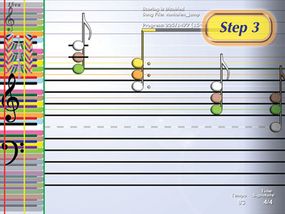
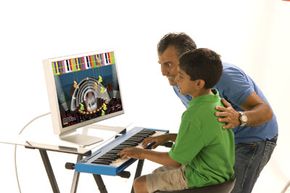
The Piano Wizard is a video game designed to make the first stages of learning how to play the piano fun, exciting and even addictive. With the help of a simple computer game, children as young as three years can learn how to play an actual song within minutes. And as they play the game more and more, they'll learn how to read music without ever having to play a single scale.
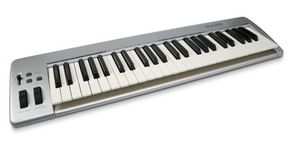
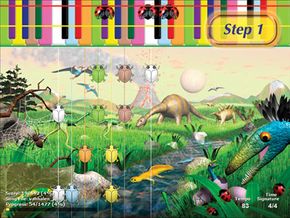
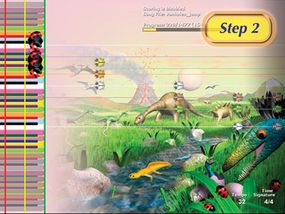
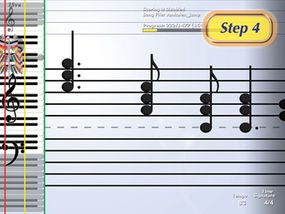
The Piano Wizard requires a computer -- PC or Mac -- connected to an electronic MIDI keyboard. The structure of the game is a lot like the popular arcade game Dance Dance Revolution or the console sensations Guitar Hero and Rock Band. Objects scroll up or across the screen toward a color-coded keyboard. When the object hits a key on the screen, you press the key on your keyboard, playing a note. Hit all the keys at the right time and you're playing a song!
The Piano Wizard wasn't designed to replace conventional piano lessons. The goal of the game is to awaken children to the possibilities of music and give them the confidence to move to a real piano and more complex songs. It's the equivalent of musical training wheels [source: Piano Wizard Introduction].
So how do you get started with Piano Wizard? When is a kid old enough to play? And how does the learning system work? Read on to find out.
Advertisement